DocBase
Word processor · Office · by LJ Thao · 4 downloads
A full word processor for letters, reports and books. Opens and saves Word documents.
DocBase 1.0.0 · Apple Silicon is for Macs with an M-series chip; older Macs use Intel · All versions
About DocBase
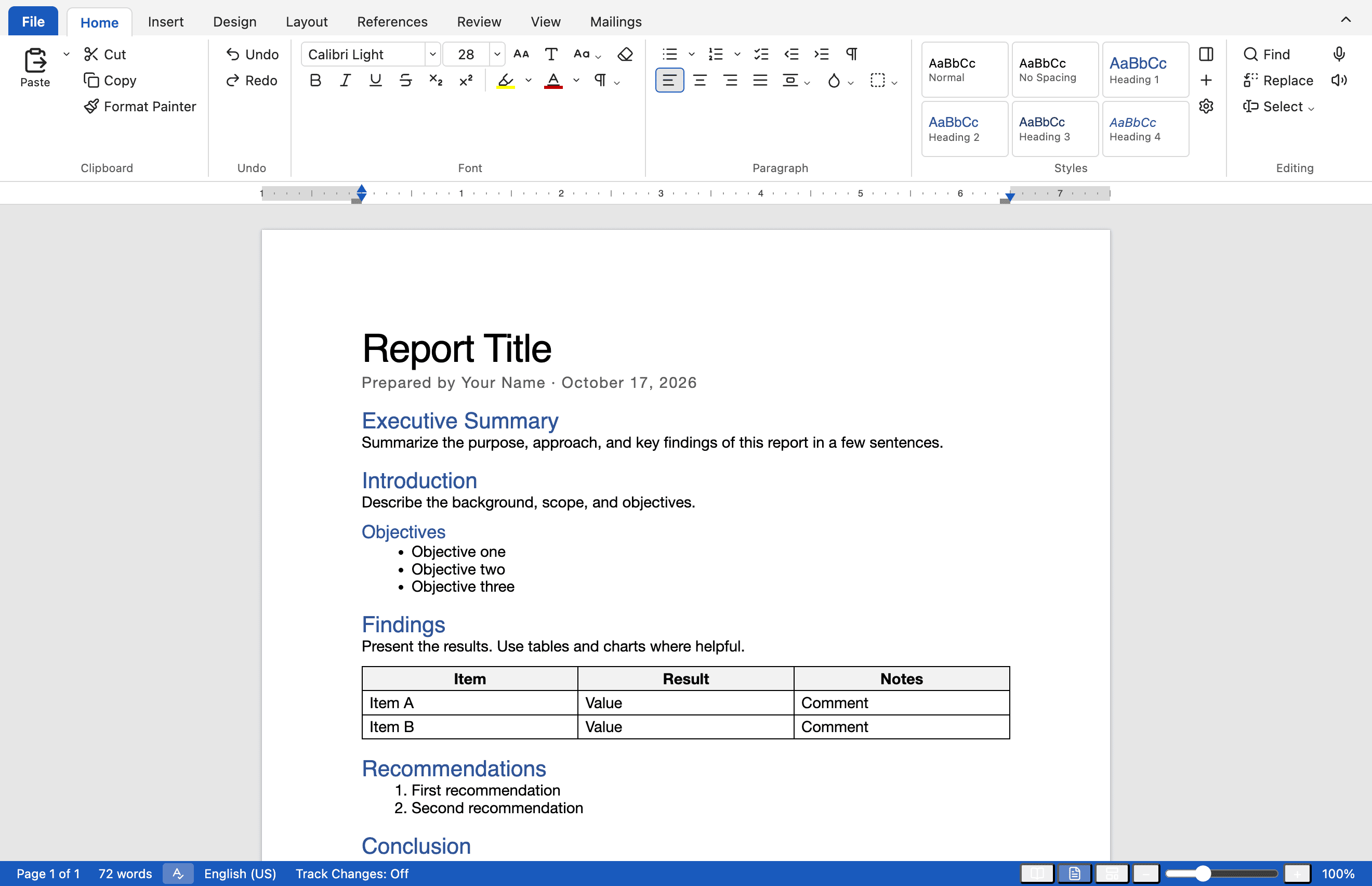
DocBase is a desktop word processor that opens and saves Word files and works without an internet connection. It has the tools of a full word processor in a familiar ribbon with File, Home, Insert, Design, Layout, References, Review, View and Mailings tabs.
Features
Works with Word files
Open and save .docx with styles, headers, tables, images, comments and tracked changes intact. Password-protected files open too.
Real page layout
Margins, columns, sections with their own page setup, page borders, watermarks and true page breaks.
References
Tables of contents, footnotes and endnotes, captions, citations, a bibliography and an index with page numbers.
Review and track changes
Comments, Track Changes, Compare, spelling and grammar checks, and a version history kept on every save.
Mail merge
Merge a list of recipients into letters, labels and envelopes, then preview each one before you finish.
Charts, shapes and equations
Insert tables, pictures, charts, shapes, SmartArt, WordArt, text boxes and equations.
Lao text done right
Phetsarath OT and Noto Sans Lao are built in, so Lao text displays correctly, even in files from Google Docs.
Private by design
No account and no sign-in. DocBase works offline and your documents stay on your computer.
File formats
Opens
- DOCX
- DOC*
- RTF*
- ODT*
- HTML
- Markdown
- TXT
Saves and exports
- DOCX
- HTML
- Markdown
- TXT
- RTF*
* Uses a converter built into macOS, so available on Mac only.
What's new
Version historyVersion 1.0.0 ·
The first release of DocBase for macOS and Windows.
- Open and save Word documents (.docx), including password-protected files, tracked changes, comments, equations and charts.
- Print Layout with real page breaks, sections, headers and footers, columns, watermarks and page borders.
- Tables of contents, footnotes and endnotes, captions, citations, bibliography and index.
- Track Changes, comments, Compare, spelling and grammar checks, and Version History on every save.
- Mail merge for letters, labels and envelopes.
- Built-in Lao fonts (Phetsarath OT and Noto Sans Lao).
Installing DocBase
macOS
- 1Open the downloaded .dmg file.
- 2Drag DocBase into the Applications folder.
- 3Open DocBase from Applications or Launchpad.
If macOS says it can't check DocBase for malicious software, open System Settings › Privacy & Security, scroll down and click Open Anyway.
Windows
- 1Run the downloaded .exe installer.
- 2Follow the steps in the installer.
- 3Open DocBase from the Start menu.
If Windows SmartScreen shows “Windows protected your PC”, click More info, then Run anyway.